Overview
You asked, we delivered! Users can now fully
modify unpaid Service Appointments
— including updating services, durations, variants, coupons, and more — directly from the edit screen without needing to cancel or rebook. These changes make it easier to handle last-minute requests, corrections, or changes — with far less friction.
What’s New?
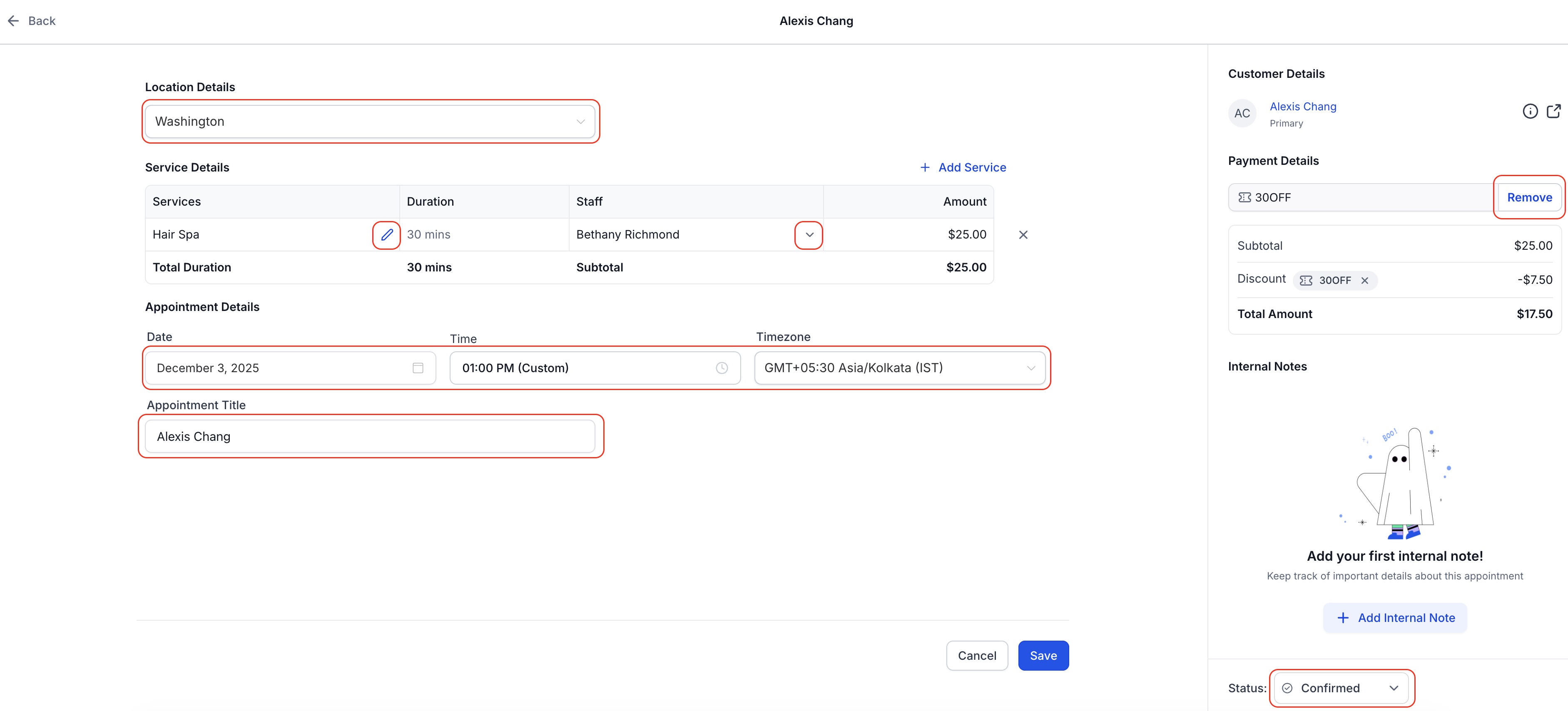
Ability to Edit Unpaid Appointments
Users can now update nearly all appointment details with ease, including the ability to:
- Add/remove Services
- Add/remove Add-Ons
- Change Staff or Service Variants
- Change Location, appointment title, appointment date/time, timezone, or coupon codes
No need to cancel or recreate the appointment — make the changes directly from the appointment modal and hit
Save
.
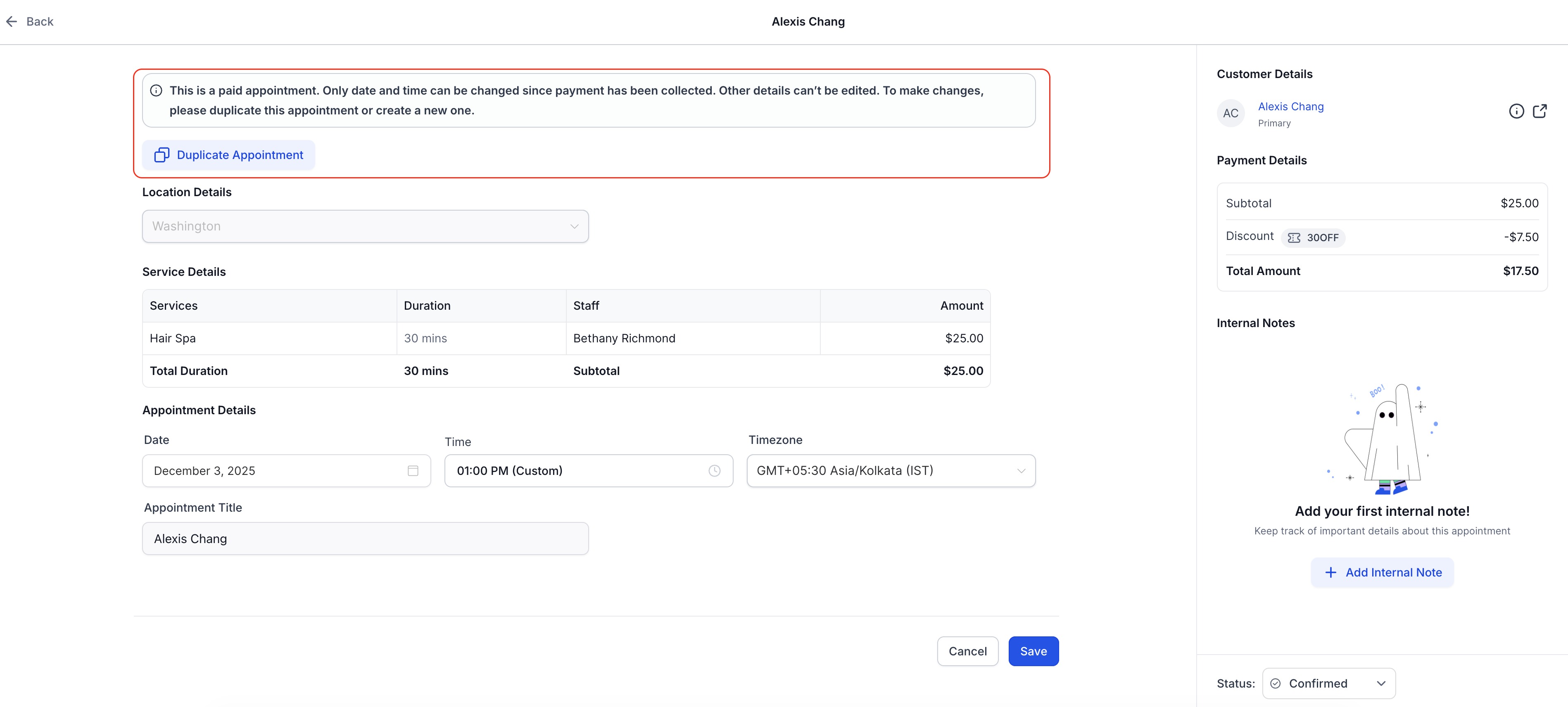
Enhanced Support for Editing Paid Appointments
Modifying paid appointments remain locked for structural changes (e.g., service or staff), but you can now:
- Duplicate Appointmentto quickly clone the appointment, make edits, and rebook without starting from scratch.
- A clear message in the edit screen explains what's editable and what’s not — so there’s no confusion.
How to Use It
- Go to Calendars > Calendar View/Appointment List View > Services > Selectthe Appointment you want to Edit
- Click the pencil icontoEdit
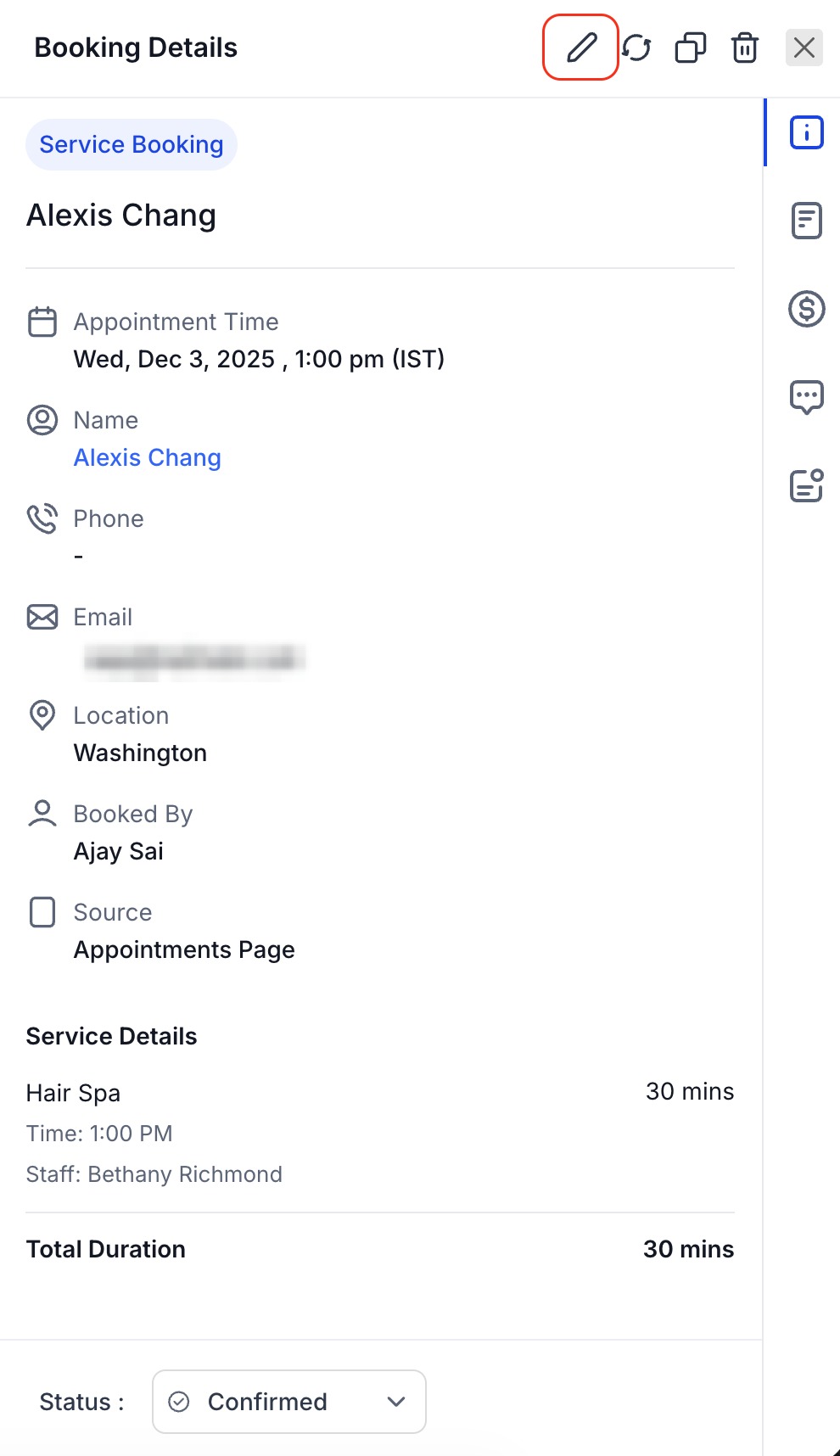
- Savethe appointment after making the changes
Why This Matters
- Operational Flexibility: Accommodate client requestswithout rebookingfrom scratch due to minor errors or updates.
- Save timeby editing or duplicating directly in-app
- Great for rebookingrepeat customers with minor changes
Note: Editing Service Appointments is currently available on the web app only. Support for the mobile app is coming soon.
Was this article helpful?
That’s Great!
Thank you for your feedback
Sorry! We couldn't be helpful
Thank you for your feedback
Feedback sent
We appreciate your effort and will try to fix the article